Pumpkin Playground Building and Wiring Guide
Machines, batteries, motors, lights, copy/paste workflows, and surviving real fire and electricity.
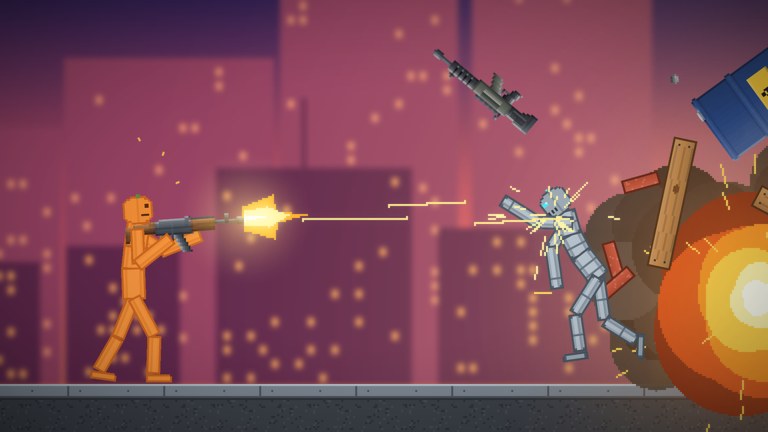
Pumpkin Playground is not only ragdoll comedy. Shiny Burger ships a full toybox for wiring batteries, motors, and lights into custom machines, plus ready-made houses, towers, and bunkers you can extend or replace with saved builds. This guide focuses on durable construction habits: how to think about power flow, how environmental hazards interact with gadgets, and how undo/copy/paste keep experiments cheap.
Pair this page with Controls for Z / C / V / T, Items and Weapons for vehicle and explosive side effects, and Powers so you know which world events delete unprotected wiring.
Why wiring matters in a physics sandbox
Anyone can spawn a gun. Fewer players leave behind a spinning motor platform that still runs after a small bomb. Wiring turns sessions into projects:
- Light a bunker hallway so nighttime chaos stays readable.
- Motorize a bridge, gate, or conveyor for pumpkin people.
- Battery-power traps that trigger when friends explore your tower.
- Stage film shots where electricity arcs meet fire under heat view.
The game models real fire, heat, water, acid, and electricity. Your machine is part of that system, not above it.
Core parts: batteries, motors, lights
Batteries
Batteries are energy sources. Place them on stable footing—workshop floors beat floating midair mounts that tornadoes will steal. Keep spare batteries in a copied module so a fried cell does not end the session.
Habits
- Isolate batteries from open flame lines.
- Use heat view (
T) after any fire test near the pack. - Do not stack every battery in one cluster if a single meteor can wipe the room.
Motors
Motors convert power into motion: spinning arms, sliding platforms, flinging levers. Secure the chassis with structural props before you wire juice. An unsecured motor becomes a projectile the moment gravity flips or an earthquake hits.
Habits
- Prototype at low complexity—one motor, one battery, one visible moving part.
- Pause (
Space) while connecting so pumpkin people are not already climbing the rig. - Slow-mo (
G) the first activation to see whether joints wobble dangerously.
Lights
Lights prove a circuit works even when motion is subtle. A lit bulb is the sandbox equivalent of a debugger. Place lights where cameras—and other players—can see them.
Habits
- Put an indicator light on every major subsystem.
- On lava or dark bunker maps, lighting is gameplay, not decoration.
- If a light dies, check heat and water before you assume the battery vanished.
A first machine you can finish in one sitting
Follow this starter build on a quiet workshop-style map:
- Clear a flat slab; spawn a few pumpkin people far away so they are not in the hitbox.
- Place a battery.
- Place a motor on a braced frame (walls or blocks from the catalog).
- Place a light where it faces your camera.
- Wire according to the in-game connection flow until the light responds and the motor can spin.
- Press
Con the whole assembly andVa backup two meters aside. - Tap
For the motor’s activate control as appropriate and watch under slow-mo. - Toggle heat view and introduce a tiny flame at the edge—not the center—to learn failure distance.
- Undo (
Z) if the lesson gets expensive; paste the backup if undo is not enough.
That single loop teaches more than an hour of random catalog spam.
Working with houses, towers, and bunkers
The experience includes ready-made houses, towers, and bunkers. Use them as:
- Shells — Drop wiring inside an existing bunker instead of fabricating every wall.
- Stress targets — Quake or meteor a stock tower to see debris patterns, then rebuild smarter.
- Co-op canvases — In a six-player server, claim floors: one player lights level one, another motors a rooftop hatch.
When you outgrow presets, save your own builds using the game’s save flow so next session starts mid-project instead of from dirt. Name saves by purpose (gate-motor-v2, moon-landing-pad) so you are not guessing thumbnails later.
Environmental interactions
Fire and heat
Fire spreads. Heat view exists so you can see it coming. Keep flammable prop chains away from battery banks. If you want a dramatic burn, copy the machine first, then ignite the disposable clone.
Water and sea maps
Water shorts plans—sometimes literally, always physically. Motors may drag differently when submerged; pumpkin people float and snag wires. Design sea machines with flotation and snag points in mind, or keep circuits on stilts.
Acid
Acid eats through more than ragdolls. Treat acid channels like one-way hazards in trap hallways: useful for defense maps, catastrophic if they drip onto your only battery.
Electricity
You are already playing with electricity when you wire. Arcs and shocks should be intentional. Pause before you complete a circuit that runs through a puddle or a crowd of pumpkin people you wanted for a later test.
Lava and Moon
Lava maps add constant heat pressure—great for “survive the biome” machines, bad for first tutorials. Moon maps reward wide, simple footprints and punish spindly towers when powers hit. Build simple, then decorate.
Protecting machines from powers and items
Read Powers with a builder’s eye:
| Threat | Builder response |
|---|---|
| Tornado | Weight modules; avoid loose dangling wires |
| Meteor shower | Redundant roofs; backups pasted off-site |
| Earthquake | Wide bases; short towers; cross-bracing |
| Gravity flip | Mechanical locks; no reliance on “resting” friction alone |
| UFO / big events | Keep a pasted spare on another slab |
| Nukes / Cluster Bomb | Distance. Codes from the Codes Hub are not builder-friendly up close |
Guns and katanas rarely “break circuits” directly, but they knock props that hold wires. Tanks and cars crush benches. Plan vehicle lanes away from the wiring closet—see Items and Weapons.
Copy, paste, undo as version control
Think like a tiny software team:
- Undo (
Z) — Quick revert while iterating a joint. - Copy (
C) — Commit a known-good module to the clipboard. - Paste (
V) — Deploy that commit elsewhere on the map.
Stamp a row of identical motor gates, or keep a “museum” shelf of old versions. When a friend wants the design, paste them a copy instead of tearing down yours. Full binding context is on Controls.
Co-op building etiquette
Servers hold six players. Builders hate surprise earthquakes. Agree on channels: one corner for stable exhibits, one corner for demolition. Pause before rewiring someone else’s battery. If you redeemed a Pumpkin Nuke, detonate it on the chaos slab—not the gallery.
New builders should finish Getting Started so catalog and grab basics are not fighting them while they learn circuits.
Troubleshooting checklist
- Light dead, motor dead — Battery destroyed, unpowered, or circuit incomplete. Check heat damage.
- Motor spins, frame flies — Under-braced. Add structure; reduce torque experiments until stable.
- Works until a power fires — Expected. Paste backup; add bracing; move to a calmer map for showcase mode.
- Fine on workshop, fails on sea/lava — Environment interaction. Redesign for fluids or heat.
- Cannot find yesterday’s project — Use the save-build feature deliberately; do not rely on a single public server instance.
Building and wiring are how Pumpkin Playground sessions become stories you return to. Start with battery–motor–light, protect the circuit from heat and ego-nukes, save often, and only then invite tornadoes to audition your work.
Frequently Asked Questions
Quick answers for Pumpkin Playground players.
What can I wire in Pumpkin Playground?
Batteries, motors, and lights into custom machines. Combine them with structural props, then protect the circuit from fire, water, acid, and electricity.
How do I avoid losing a machine to one explosion?
Copy the assembly with C, paste a backup with V, and keep distance from nukes or Cluster Bombs. Undo with Z during smaller mistakes.
Should I learn wiring on lava maps?
No. Learn on a quiet workshop-style map first. Lava adds constant heat pressure that hides simple circuit mistakes.
Can I save builds?
Yes. Use the game's save-build flow for houses, towers, bunkers, and custom machines so you can reload projects in later sessions.
Which powers are hardest on wired machines?
Tornado, earthquake, meteor shower, and gravity flip commonly tear unsecured parts. Copy before you stress-test.