Getting Started in Pumpkin Playground
Your first hour in Shiny Burger's 2D physics sandbox—from spawn to smart chaos.
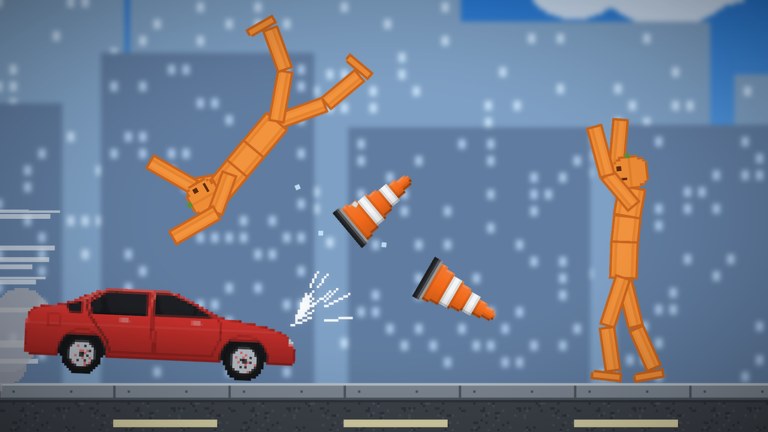
Pumpkin Playground is a free-to-play Roblox 2D physics sandbox from Shiny Burger, released 2026-10-31. Servers hold up to six players. The fantasy is simple and deep at once: spawn pumpkin people, then shoot, blast, burn, freeze, or zap them while every limb reacts on its own. This getting-started guide gets you comfortable before you open nukes, tornadoes, or dense wiring projects.
Official place: Pumpkin Playground on Roblox. Keep the Guides Hub bookmarked for the full tutorial set.
What kind of game this is
There is no campaign checklist forcing you through bosses. The loop is sandbox creativity and destruction:
- Spawn and interact with pumpkin ragdolls whose limbs stumble, limp, break, and separate independently.
- Pull from 300+ items—guns, swords, katanas, bombs, nukes, cars, tanks, and more.
- Trigger eleven powers, including tornado, meteor shower, earthquake, time stop, gravity flip, and UFO.
- Wire batteries, motors, and lights into machines.
- Respect real fire, heat, water, acid, and electricity as they spread through props and bodies.
- Explore nineteen maps, from a quiet workshop to lava, sea, and the Moon, with ready-made houses, towers, and bunkers—or save your own builds.
If you came for codes first, redeem them with How to Redeem Codes, then return here so rewards are not wasted on a session you do not understand yet.
Minute-by-minute first session
Minutes 0–5: load in and look around
Join on PC if you can; mouse precision helps while learning grab and fling. Pick a calm map—anything labeled like a workshop or empty interior—before lava or Moon. Open Maps Overview later when you want extreme biomes.
Find the on-screen prompts. Confirm you can open the catalog (Tab on PC). You should see categories for people, weapons, explosives, vehicles, and building parts.
Minutes 5–15: spawn, grab, fling
- Spawn a pumpkin person from the catalog.
- Left click to grab, move, and fling. Feel the weight and joint give.
- Drop the figure from a short height, then a taller stack, and watch limbs react separately.
- Press Space to pause when the scene gets noisy. Pause is your friend in a physics toy.
- Press G for slow motion when you want to study a fall or impact.
You are not failing if you spend this whole block on flinging. Limb behavior is the signature of the game; learning it now makes later weapon tests readable instead of pure noise.
Minutes 15–25: first items
Open the catalog again. Equip a simple melee option (sword or katana) or a basic gun. Press F to use the item. Shoot or strike a pumpkin person, then pause and scrub the aftermath with slow-mo.
Try a small bomb before any nuke. Stand back, use F, and observe fire or shrapnel. Toggle heat view with T to see temperature influence when flames linger. Full binding detail lives on Controls.
If you already redeemed PUMPKIN (Cluster Bomb) or BOOM (Pumpkin Nuke) from the Codes Hub, save the nuke for after you practice undo.
Minutes 25–40: undo, copy, paste
- Z undoes the last major change—use it when a prop stack collapses the wrong way.
- C / V copy and paste selections so you can duplicate walls, ramps, or gadget pieces without rebuilding from scratch.
Build a tiny ramp or box, copy it, and make a short obstacle course for a pumpkin person. This is the seed of Building and Wiring.
Minutes 40–60: light systems and one power
Place a battery, a motor, and a light. Connect them as the in-game wiring affordances allow until the light responds. Do not chase a perfect machine on day one—chase a machine that proves power flows.
Then trigger one gentle power from the eleven-power set—time stop or a controlled gravity flip is easier to read than a full meteor shower. Read Powers before you stack tornado plus nuke on a friend’s bunker.
Safety habits that keep sessions fun
Pause before escalation. Six-player servers fill with overlapping chaos. Call out before you earthquake someone’s wiring project.
Heat view before big fire. Acid, electricity, and flames interact. T helps you see when a “funny burn” is about to delete the machine you spent twenty minutes on.
Undo is cheaper than rebuild. Hit Z early. Copy good subassemblies with C/V so disasters cost less.
Match map to goal. Workshop-like maps for learning. Lava and Moon when you specifically want hostile environments. Sea maps for splash and buoyancy experiments. Details in Maps Overview.
Codes are fuel, not the tutorial. XP from WELCOME and cosmetics from EARLYBIRD / TUNEDIN do not teach grab physics. Explosives from PUMPKIN / BOOM shine after you know F, pause, and heat view.
Platform quick notes
The experience plays on PC, Mobile, Tablet, and Console. Bindings below are the PC reference printed by the developers; touch and controller use on-screen equivalents for grab, use, pause, and catalog. When something feels missing on mobile, open the in-game help overlay and compare against our Controls page.
What to read next
| Goal | Page |
|---|---|
| Memorize every hotkey | Controls |
| Learn the eleven powers | Powers |
| Build machines that last | Building and Wiring |
| Understand the 300+ catalog | Items and Weapons |
| Pick better arenas | Maps Overview |
| Claim free rewards | Codes Hub |
Common day-one mistakes
- Nuking immediately on a shared bunker map and wiping three players’ builds.
- Ignoring pause/slow-mo, then wondering why you cannot see limb breaks.
- Forgetting heat view while combining fire and electricity near motors.
- Redeeming codes on the wrong Roblox account on a shared device.
- Leaving the catalog without trying copy/paste, then rebuilding the same wall ten times.
Avoid those, and your second hour will feel like creative direction instead of button confusion. Pumpkin Playground rewards curiosity: the pumpkin people, the wired gadgets, and the hostile maps are all toys in one box. Learn the handles first—grab, use, pause, undo—then open the rest of the box with intent.
Frequently Asked Questions
Quick answers for Pumpkin Playground players.
Is Pumpkin Playground free to play?
Yes. It is free on Roblox for PC, Mobile, Tablet, and Console. Promo codes are optional free rewards, not a paywall.
How many players are in a server?
Server size is 6. Coordinate before large powers or nukes so you do not erase someone else's build without warning.
What should I do in my first ten minutes?
Spawn a pumpkin person, practice left-click grab and fling, open the catalog with Tab, and learn Space pause plus G slow motion before heavy explosives.
Which map is best for beginners?
A quiet workshop-style map. Save lava, sea, and Moon stages until you can undo, copy/paste, and read heat view comfortably.
Where do I redeem codes after I start playing?
Use STORE → CODES → ENTER CODE → REDEEM. Full steps are on How to Redeem Codes; the live list is on the Codes Hub.