Pumpkin Playground Controls Cheatsheet
Dense input reference for PC sessions — keep it beside your sandbox.
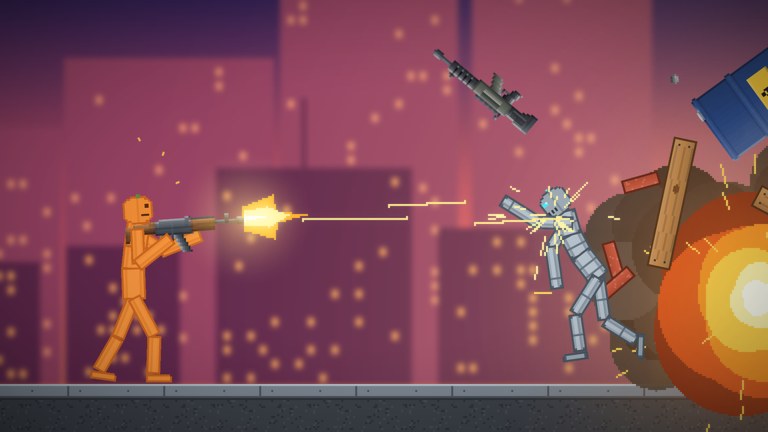
This controls cheatsheet is the quick-lookup sibling to the narrative controls guide. Print it, pin it, or leave it on a second screen while you fling pumpkin people across Shiny Burger’s 2D physics sandbox. Parent hub: Tools.
Platform note: labels below follow the publicly listed PC-centric bindings. On mobile, tablet, or console, match the on-screen prompts — the actions (grab, use, pause, slow-mo, heat, undo, copy, paste, catalog) stay conceptually the same.
Core bindings
| Input | Action | When to use it |
|---|---|---|
| LMB | Grab and fling | Move props, NPCs, bombs, vehicles; line up throws |
| F | Use item | Fire guns, trigger held tools, activate equipped gear |
| Space | Pause | Freeze the sim to rearrange, aim, or talk in chat |
| G | Slow motion | Study limb breaks, vehicle airtime, explosion timing |
| T | Heat view | Inspect fire/thermal state before water or fuel plays |
| Z | Undo | Roll back a bad fling or misplaced wire piece |
| C | Copy | Duplicate a selected build module or prop setup |
| V | Paste | Place the copied module; repeat for symmetric designs |
| Tab | Catalog | Browse 300+ items, powers-related toys, and parts |
Ninety-second warm-up drill
- Tab — spawn a light prop and a sword.
- LMB — drag the prop, fling gently, Z if it leaves the map.
- F — swing or fire to feel use timing.
- Space — pause, reposition, unpause.
- G — slow-mo a second fling for camera sense.
- T — toggle heat view on a small fire test if available.
- C/V — copy a sandbag wall twice for a lane.
- Tab — grab a car or tank and drive a short loop.
Afterwards, continue with Getting Started or jump into powers.
Combo recipes (inputs only)
Staged explosion
- Tab — equip Cluster Bomb or Pumpkin Nuke (codes PUMPKIN / BOOM — redeem help).
- Space — pause and place.
- Unpause; F or trigger as appropriate.
- G — optional slow-mo for the clip.
- Z — undo debris if the lobby wants a reset.
Wiring duplicate
- Build a battery–motor–light slice (wiring guide).
- C — copy the working slice.
- V — paste repeats along a bunker wall.
- Z — step back if a paste overlaps badly.
Heat-aware comedy
- Start a fire interaction.
- T — confirm heat view readout.
- LMB — fling a water-related tool or prop into play.
- G — watch steam/chaos in slow motion.
Power staging
- Select time stop or gravity flip from the powers kit (tier list).
- Space — micro-adjust props mid-plan if needed.
- Release; follow with UFO or tornado for act two.
- Tab — swap to vehicles on Moon or sea maps (maps).
Troubleshooting table
| Symptom | Try this |
|---|---|
| Cannot pick anything up | Click nearer center mass; unpause; confirm not in a UI-only focus |
| Item will not activate | Press F with correct equipped tool; check catalog equip state |
| Simulation feels stuck | You may still be paused — tap Space |
| Cannot see fires clearly | Toggle T heat view |
| Accidental mega wreck | Spam Z early; if too late, reload map or hop server (players) |
| Lost a good module | Habitually C copy before risky tests |
| Friend confused on mobile | Point them to action names, not only PC keys |
Teaching a six-player lobby
Paste this short list in chat when hosting:
- Grab/fling = LMB
- Use = F
- Pause = Space
- Slow-mo = G
- Heat = T
- Undo = Z
- Copy/Paste = C/V
- Catalog = Tab
Then link this cheatsheet and ask before nukes. Etiquette: players hub.
Related rankings and systems
Knowing inputs is half the battle; choosing toys is the rest:
- Items tier list — what to pull from Tab first
- Powers tier list — which of the eleven powers to practice
- Items guide — weapon families explained
- Updates — recheck bindings if a patch moves UI
Accessibility & comfort tips
- Lower fling force expectations on trackpads; pause more often.
- Slow motion reduces motion sickness during long meteor takes.
- Heat view can be high contrast — toggle off between tests.
- Undo is your friend; do not rely on scripts to “fix” mistakes (Scripts Hub).
Print / second-screen layout suggestion
Header: Pumpkin Playground Controls
Left column: Core bindings table
Right column: Combo recipes
Footer: Link to pumpkinplayground.wiki tools + codes
Avoid cluttering the printout with emoji. Keep margins wide enough to annotate personal notes like “nuke announce in chat.”
Version awareness
Bindings above match the launch-era public description captured in the changelog (31 October 2026 baseline). If Shiny Burger remaps keys, this page will update after verification — until then, trust on-screen prompts over memory.
Return to Tools Hub, continue learning on Guides, or claim codes before your next staged shot. Grab, pause, iterate.
Frequently Asked Questions
Quick answers for Pumpkin Playground players.
What key opens the catalog?
Tab opens the catalog where you browse the 300+ item library and related toys.
How do I pause the sandbox?
Press Space to pause, rearrange with grab, then press Space again to resume.
Is there a slow-motion key?
Yes — G toggles slow motion, which is ideal for filming explosions and vehicle stunts.
How do I undo a mistake?
Press Z to undo. Copy important modules with C before risky experiments so you can paste replacements with V.
Do these keys work on console?
Use the on-screen console prompts for the same actions. This sheet emphasizes the listed PC bindings from the game description.